
LogoAIDirs
  • Category
  • Tag
  • Collection
  • Blog
  • Pricing
  • Cli Docs
LogoAIDirs
LogoAIDirs

Discover the top AI tools of 2026 with the AiDirs.org AI Directory!

GitHub
Built withLogoMkdirs
Product
  • Search
  • Collection
  • Category
  • Tag
Resources
  • Blog
  • Pricing
Company
  • About Us
  • Privacy Policy
  • Terms of Service
  • Sitemap
Friends
  • Prompt Cat
Copyright © 2026 All Rights Reserved.
  1. Home
  2. Category
  3. 3D AI Maker
icon of 3D AI Maker

3D AI Maker

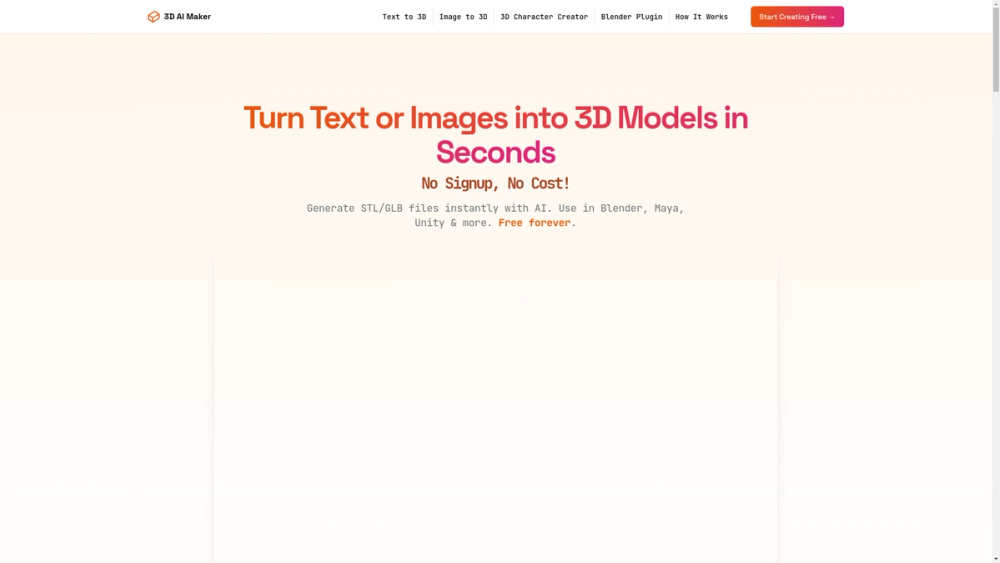
Generate textured 3D models from text or images and export GLB/STL for Blender, Maya, and 3D printing — free with no signup.

Visit Website
image of 3D AI Maker
Visit Website

3D AI Maker — Detailed Introduction

3D AI Maker is a web-based AI tool that converts text prompts or 2D images into fully textured 3D models in seconds. It focuses on fast, practical outputs for creative and production workflows by providing downloadable GLB (for animation and realtime engines) and STL (for 3D printing) files and a Blender plugin for in-app generation.

Key features

  • Text-to-3D and Image-to-3D generation: Create 3D assets directly from natural-language prompts (e.g., "cyberpunk robot") or upload JPG/PNG reference images.
  • Export formats: Download GLB for use in Blender, Maya, Unity and other DCC/realtime tools; download STL optimized for 3D printing workflows.
  • Blender plugin: Generate models without leaving Blender (supports Blender 3.0+), streamlining professional pipelines.
  • Fast turnaround: Example content claims AI generation takes ~20 seconds per model, enabling rapid iteration.
  • Free access and low friction: No signup or credit card required; pitched as "free forever" for creators.

Technical notes & considerations

  • Output types: Models are textured and packaged in GLB for PBR-friendly workflows; STL outputs are suitable for printing but may require slicing and mesh repairs depending on complexity.
  • Integration: GLB is compatible with animation and game engines; Blender plugin suggests an API or backend endpoint to request generation from within a DCC app.
  • Use cases: Game developers creating rapid prototypes, 3D printing hobbyists converting photos to keepsakes, artists and VR/AR creators for quick asset generation, and studios needing fast concept iterations.
  • Practical workflow tips: Expect to retopologize or decimate meshes for production or printing, check UVs and texture seams after generation, and run standard mesh-cleaning before slicing.

Target users

  • Independent game developers and studios who need quick asset prototyping.
  • 3D printing hobbyists and small manufacturers converting images to printable models.
  • Digital artists and animators who want textured GLB assets for scenes and realtime demos.
  • Blender users seeking an integrated AI-assisted modeling workflow.

Unique selling points

  • Zero-cost entry: No account or payment required to start generating models.
  • Dual-output focus: Explicit support for both GLB (animation/engine) and STL (printing).
  • Blender integration: Plugin available to create models directly inside Blender, reducing context switching.

Limitations to verify

  • The page does not specify model resolution, polygon counts, UV/texture resolution, or license terms for commercial use — users should verify asset quality and usage rights before production use.

Use cases for 3D AI Maker

  • People exploring AI Art tools use 3D AI Maker when comparing options in that category.
  • People exploring AI Image tools use 3D AI Maker when comparing options in that category.
  • People exploring AI Character tools use 3D AI Maker when comparing options in that category.
  • 3D AI Maker is often considered alongside other Text to Image tools in this directory.
  • 3D AI Maker is often considered alongside other Image to Image tools in this directory.

Frequently asked questions about 3D AI Maker

Back
Information
  • Publisher
    3daimaker
  • Website3daimaker.com
  • Published date2025/11/04
  • Last updated2025/11/04
Categories
  • AI Art
  • AI Image
  • AI Character
  • AI App Builder
Tags
  • Text to Image
  • Image to Image
icon of ImgEnhancer
ImgEnhancer
Sponsored

Enhance image quality online with AI. Upload a photo to sharpen details, unblur images, upscale resolution, and download clearer results in seconds.

Related AI tools

icon of   MiroFish

MiroFish

AI CourseAI Ad Creative AssistantAI App BuilderWriting AssistantsAI Analytics AssistantAI ImageAI TranslateAI Video EnhancerAI CodeAI StudyText to VideoLLMAI ArtPromptAI GameAI Grammar CheckerAI AgentAI PPTAI VideoAI CharacterAI APIAI DirectoryAI MusicAI TextAI QR CodeAI VoiceAI SEOAI Search EngineAI Chatbot

MiroFish turns prompts and documents into AI scenario graphs, multi-agent simulations, prediction reports, and follow-up chat for decision rehearsal.

AI AgentAI ChatAI CodingAI SearchFor Fun+9
icon of Soul Cinema

Soul Cinema

AI ImageAI ArtAI Character

Soul Cinema transforms written concepts into film-grade stills with consistent characters and high resolution.

Text to ImageImage to ImageFor Fun
icon of Free AI Image Generator

Free AI Image Generator

AI ImageAI ArtAI App Builder

A free tool to create AI images from text prompts with daily credits and multiple creative styles.

Text to ImageFor FunImage to Image
icon of Niji V7

Niji V7

AI ArtAI ImagePromptAI Character

Create stunning art with Niji V7 using top AI models like Niji Journey, Midjourney, Flux 2, and Nano Banana Pro for AI image generation.

Text to ImageImage to ImageFor Fun
icon of AnividAI

AnividAI

AI ArtAI ImageText to VideoAI VideoAI ChatbotAI Character

All-in-one AI studio for creating OCs, generating consistent anime art, videos, and interactive chats with characters.

Text to ImageImage to ImageText to VideoImage to VideoAI Chat+1
icon of Genstory

Genstory

AI ImageText to VideoAI ArtAI AgentAI Character

The First Story Agent: Plan, Refine, Build Full Narratives.

Image To TextImage to ImageImage to VideoText to Image