

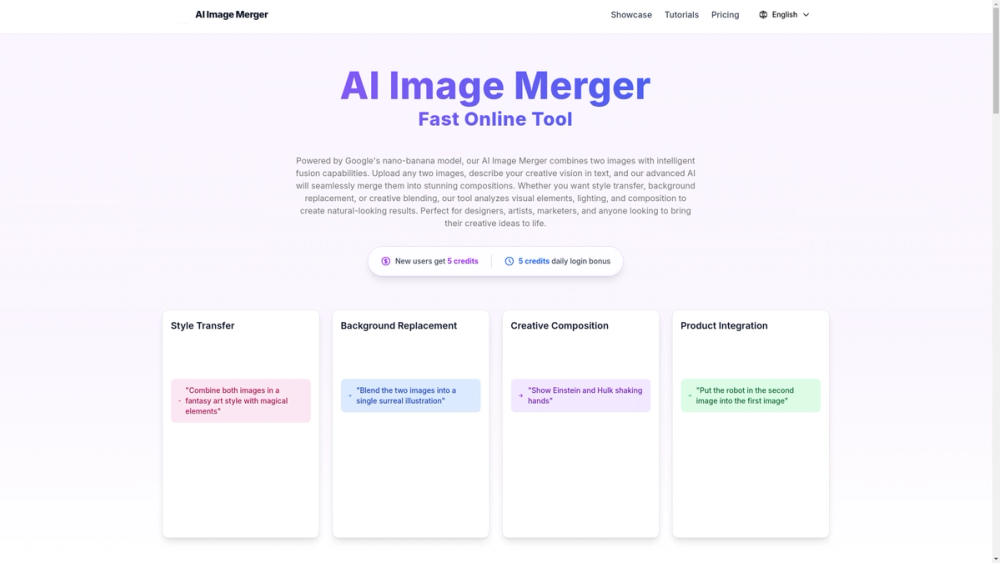
AI Image Merger — Overview
AI Image Merger is a web-based tool that combines two images using a text prompt and machine learning (powered by Google's "nano-banana" model). It produces seamless fused results for style transfer, background replacement, product integration, and other creative compositions.
Key features
- Upload two images (JPG/PNG, max 5MB each) and provide an English prompt to control the composition, style, mood, and details.
- Multiple example workflows: style transfer, background replacement, creative composition, and product integration.
- Fast processing: typical generation time is 30–60 seconds (depends on server load and image complexity).
- Output & formats: preview in-browser and download as PNG. Images are processed securely and automatically deleted after completion.
- Usage controls: new users receive initial credits and a daily login bonus; IP-level rate limiting (3 requests per day) to control costs.
- Content policy & moderation: automated and manual reviews, strict prohibitions on copyrighted, pornographic, violent, or illegal content.
Target users & use cases
- Designers and digital artists: create hybrid artworks, style transfers, and novel compositions without manual photo editing.
- Marketers and advertisers: place products into new backgrounds, craft unique ad creatives and contextual visuals rapidly.
- E-commerce teams: generate product mockups and scene variations to increase conversion without physical shoots.
- Content creators & social media managers: produce eye-catching visuals for posts, blog illustrations, and thumbnails.
Technical notes & recommendations
- Recommended input resolution: 512×512 to 2048×2048 for optimal results.
- Use well-lit, high-resolution images with similar lighting/color for best merges.
- Iterative prompting: refine prompts or try negative prompts (advanced) to remove unwanted artifacts (e.g., "no blur", "no watermark").
- Rate limits: plan experiments within the 3-request/day IP limit and use prompt variations to iterate efficiently.
Security & ownership
- The site states generated images belong to the user, but uploaders must ensure they have rights to the source images.
- Uploaded files are processed securely and deleted after processing; no permanent storage is claimed.
Examples of practical applications
- E-commerce product placement into lifestyle scenes to increase conversions.
- Advertising visuals that merge disparate elements into a single coherent layout.
- Digital art pieces combining photographic subjects with stylized backgrounds.
- Rapid prototyping of product integration and marketing mockups.


