

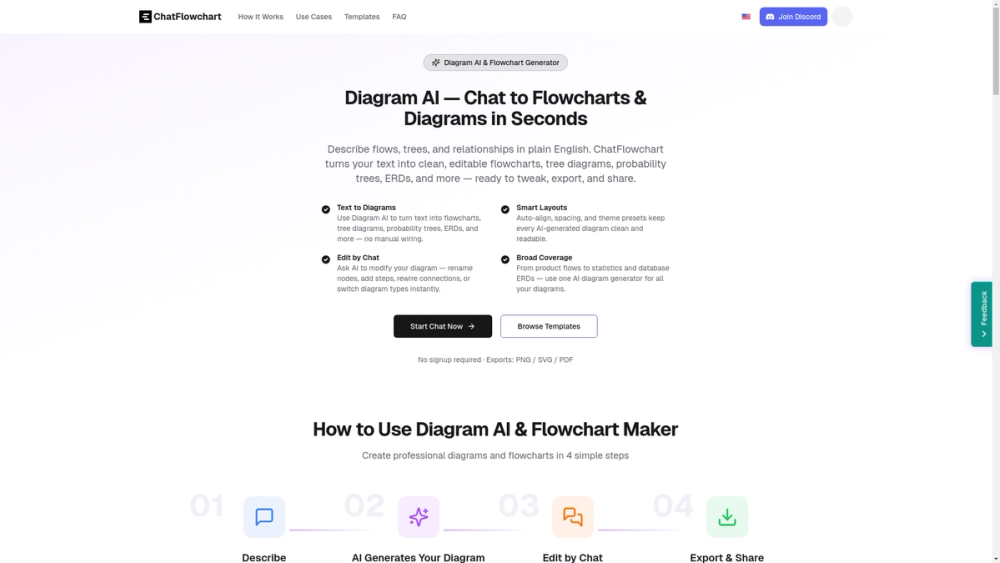
ChatFlowchart — Diagram AI (Overview)
ChatFlowchart is a conversational AI tool that converts plain English into editable diagrams (flowcharts, tree diagrams, probability trees, ERDs, UML, Gantt, and more). It uses an LLM-backed parser to detect entities, relationships and control flow, automatically selects an appropriate diagram type and generates a clean auto‑layout with theme presets and export options.
Key features
- Conversational creation and editing: describe a flow or paste bullet points and the AI generates the diagram; modify the diagram using chat commands (rename nodes, add/remove nodes, rewire connections, switch diagram types).
- Broad diagram support: flowcharts, sequence diagrams, class/UML, ER diagrams, Hasse diagrams, probability trees, Venn, state diagrams, Gantt charts, and more (10+ types).
- Automatic layout & styling: auto-align, spacing, and theme presets produce readable visuals without manual adjustments.
- Templates & examples: ready-to-use templates to bootstrap common scenarios (basic flowchart, sequence, ER, workflow, project Gantt, etc.).
- Exports & sharing: PNG, SVG, PDF exports + shareable links and collaboration features.
- Privacy & deployment: private by default with optional self-hosting; designed for teams that care about data safety.
Target users & use cases
- Product managers and UX designers: map user journeys, feature flows, and decision paths quickly.
- Engineers & system architects: generate sequence diagrams, class diagrams, and system architecture flows from descriptions.
- Data scientists & educators: create probability trees, Venn diagrams, and Hasse diagrams for analysis and teaching.
- Business analysts & PMs: visualize processes, Gantt timelines, and decision trees for planning and communication.
Why it stands out
- Fast, natural-language driven workflow that reduces manual diagram wiring.
- Conversational editability means diagrams evolve with the product discussion.
- Wide format export and template library make it practical for presentations, documentation, and collaboration.
Practical technical notes
- LLM-based entity and relation extraction maps text to nodes and edges.
- Automatic diagram type selection and layout engine optimize readability (spacing, alignment, directional flow).
- Exports preserve vector quality (SVG/PDF) for high-fidelity outputs.


