

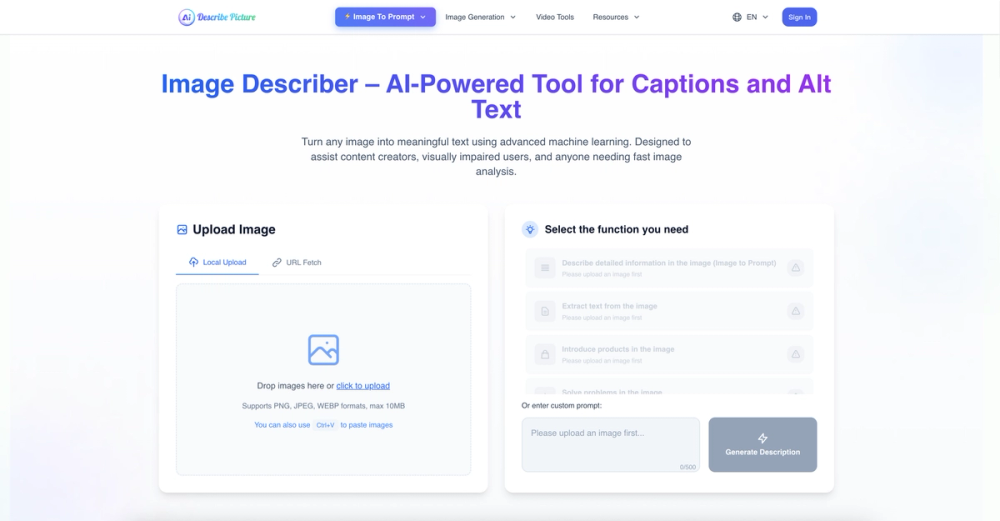
Describe Picture — Technical Overview
Describe Picture is an AI-driven web tool for detailed image understanding, content extraction, and format conversion. It pairs an interactive chat interface with vision models (the site references Google's gemini_pro_vision) to deliver structured descriptions, OCR, screenshot-to-code conversion, and Markdown outputs.
Key features
- Interactive image chat: upload (local, URL, or paste via Ctrl+V) and query images using guided prompts (Description, Summarization, Extraction, Titling, Translation, Tabulation, Codification).
- OCR / Image-to-text: accurate text extraction from scanned documents, infographics, and photos with editable output.
- Image-to-Markdown: convert diagrams, slides, or handwritten notes into clean, markdown-formatted content.
- Screenshot-to-code: recognize web layout elements and generate corresponding HTML/CSS/JS snippets for rapid prototyping.
- One-click code copy: copy sanitized code blocks without extra whitespace or line-break artifacts.
- Model selection & sessions: session-based workflow with model selection and preset prompt buttons for developer and content workflows.
- API & integrations: site advertises API docs for integration into pipelines and tools.
Technical details & constraints
- Supported upload formats: PNG, JPEG, WEBP; max file size indicated as 2MB.
- Client-side UI: upload widgets with drag-and-drop and file input fallbacks, responsive design for desktop and mobile.
- Uses modern front-end patterns (Astro islands, client-side React components) for progressive hydration and performance.
- Integrates third-party listings and badges (Turbo0, Toolpilot, etc.) and exposes a public contact email for support.
Primary users & use cases
- Content creators and SEO professionals: generate accessible alt text and SEO-friendly image descriptions.
- Developers & designers: convert screenshots to code and extract components for rapid UI prototyping.
- Accessibility teams: produce detailed, contextual image descriptions and transcriptions for visually impaired users.
- Educators & researchers: extract text and structured notes from images, slides, and scanned materials.
Unique selling points
- Combines OCR, language understanding, and code-generation features in a single, chat-driven interface.
- Rapid prototyping capabilities (screenshot-to-code) plus markdown export streamline developer and content workflows.
- Lightweight client-side UX with clear integration paths (API docs) for automation and embedding.
Limitations & recommendations
- Observe the 2MB upload limit for images; for large assets, pre-compress or crop before upload.
- Evaluate model selection and outputs for sensitive or privacy-critical images before automation in production.


