

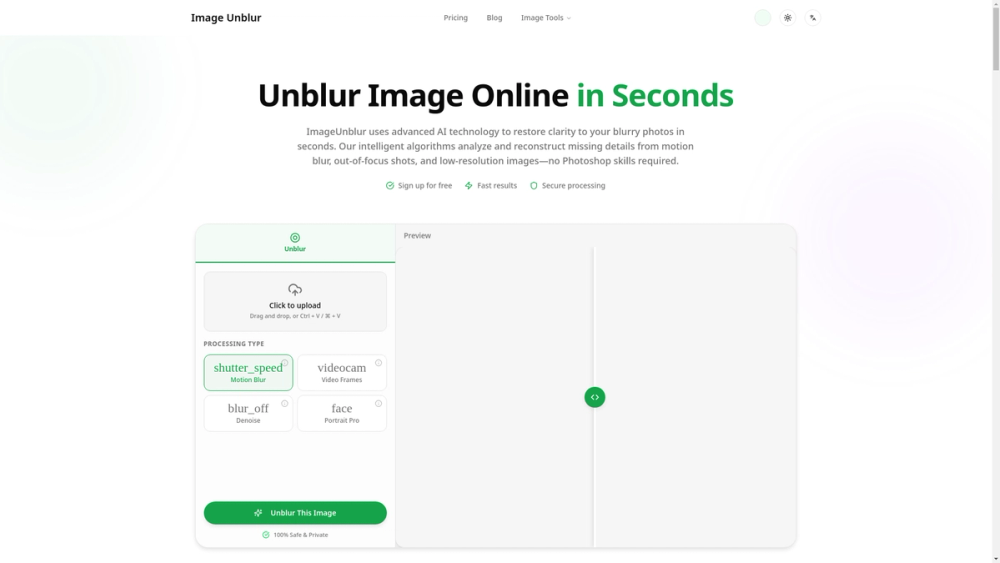
ImageUnblur — AI Image Unblur and Enhancement
ImageUnblur is a browser-based AI tool for restoring clarity to blurry photos. It combines deep-learning deblurring, denoising, and upscaling into a simple upload-and-process workflow so non-experts can recover detail from motion blur, out-of-focus shots, compression artifacts, and low-resolution scans.
Key features
- Multiple specialized unblur modes: Motion Blur, Video Frames, Denoise, Portrait Pro — each model optimized for common blur types.
- AI reconstruction (not just sharpening): deep models trained on millions of image pairs reconstruct missing detail to produce natural-looking results.
- Upscale after unblur: optional resolution increases (up to 4x) for printing or high-res use cases.
- Combined denoise and deblur: clean noisy low-light or compressed images in one pass.
- Batch processing & account tiers: free tier with generous usage; Pro unlocks 4K outputs, batch jobs, and premium models.
- Fast server-side processing: typical results in under 30 seconds via an optimized inference pipeline.
- Privacy-first handling: images are processed on secure servers and auto-deleted after ~2 hours; not used for model training.
- Supported formats & limits: JPG, PNG, WebP up to 10 MB per image.
Technical details
- Models: specialized deep-learning models per blur type (motion, defocus, compression, noise).
- Deployment: server-side inference with optimized AI pipeline to minimize latency and maintain quality.
- Outputs: before/after preview with slider, downloadable enhanced image; optional upscaling.
Target users and use cases
- Photographers & hobbyists: recover handheld or low-light shots and improve portraits.
- E-commerce sellers: sharpen product photos to reveal textures, labels, and details for listings.
- Archivists & family historians: restore old scans and vintage photos.
- Content creators & social media users: fix compressed or blurry uploads before reposting.
- Document workflows & OCR: enhance screenshots, receipts, and scanned text to improve readability and OCR accuracy.
Why choose ImageUnblur
- Simple UI: upload, select mode, and unblur — no manual editing required.
- Specialized models produce natural results outperforming naive sharpening.
- Fast and privacy-conscious processing with clear upgrade paths for power users.


