
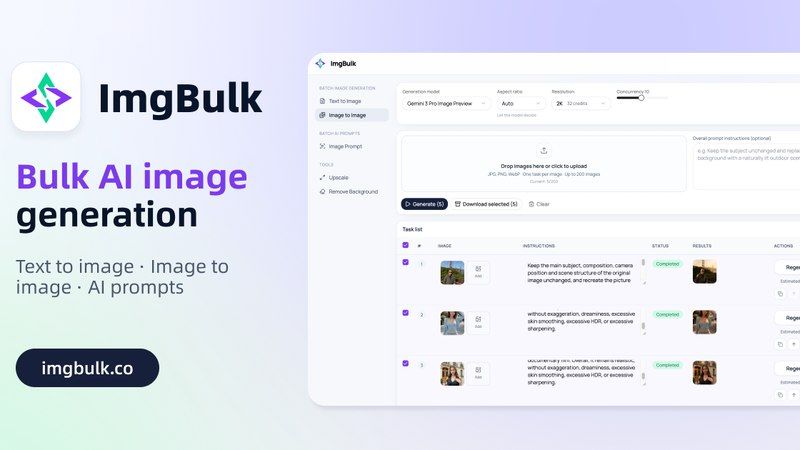
ImgBulk is a bulk AI image generator for creators who already have a list of images to make. An editor can turn a calendar of upcoming articles into a set of covers. A storyboard artist can describe a different shot on each line. A design team can explore several concepts from one brief. Each prompt becomes a task, so the team can see which images are ready to review and which are still running.
Paste one prompt per line for a short list. If the briefs already live in a spreadsheet, import a CSV or an Excel .xlsx file with a column named "prompt." Put one brief on each row and use the first worksheet in an Excel file. Review the imported prompts in the workspace before generating. For a series of blog covers, give each prompt its own subject and repeat the palette or type of lighting you want across the set.
The workspace handles up to 200 tasks per batch. Choose a model and resolution, check the estimated credits, and follow the progress of each row as the results come in. If one task fails, retry it on its own. Download a single image for a quick review or save the completed results together as a ZIP.
A batch AI image generator fits work that starts with a shot list, content calendar, or stack of draft briefs. To see how the workflow fits your project, try three prompts that share a visual style. Review the results at the size you intend to use, then bring in the rest of the list. A common framing instruction can help a set of illustrations feel related even when every image has a different subject.


