
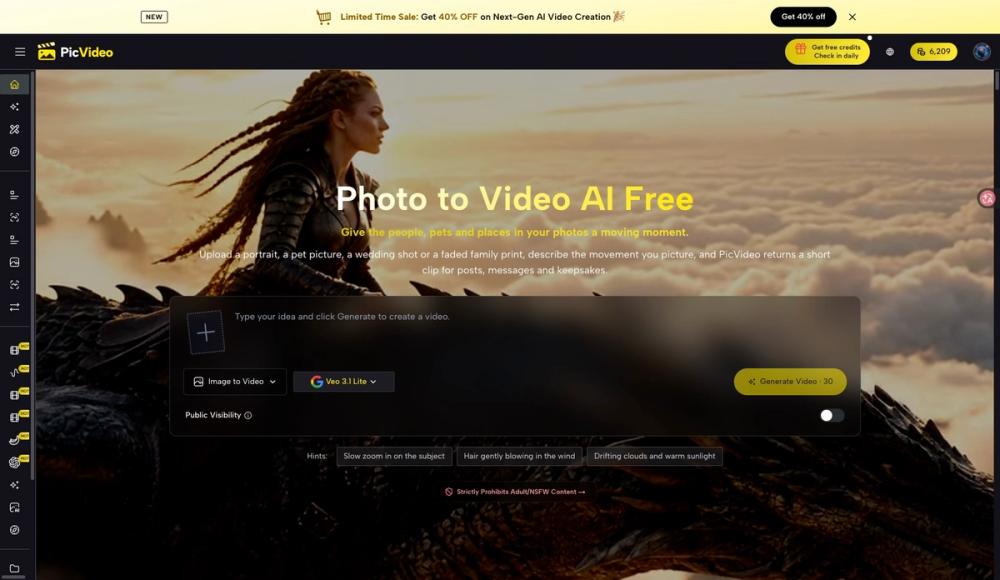
Photo to video AI free to start: PicVideo turns still photos into short moving clips in your browser. Upload a photo, describe the action or camera movement, and choose a model or effect. Animate portraits, pet pictures, family memories and product images for social posts and creative projects. PicVideo also supports text-to-video, start and end frames, reference-based video creation, AI image generation and image editing. Keep uploads and finished work in the Asset Library. Start with free credits; additional credits and paid plans are available. Output options and credit costs depend on the selected model and plan. Free results are public and carry a PicVideo watermark. Paid options support private generation and watermark-free output. Free credits are available on eligible accounts and selected models.

PicVideo
Animate your photos with AI. Start with free credits.
Use cases for PicVideo
- People exploring AI Video tools use PicVideo when comparing options in that category.
- PicVideo is often considered alongside other Image to Video tools in this directory.
Frequently asked questions about PicVideo
Information
- PublisherCharles Grant
- Websitepicvideo.net
- Published date2026/10/21
- Last updated2026/10/21
Categories
Tags

ImgEnhancer
SponsoredEnhance image quality online with AI. Upload a photo to sharpen details, unblur images, upscale resolution, and download clearer results in seconds.


