

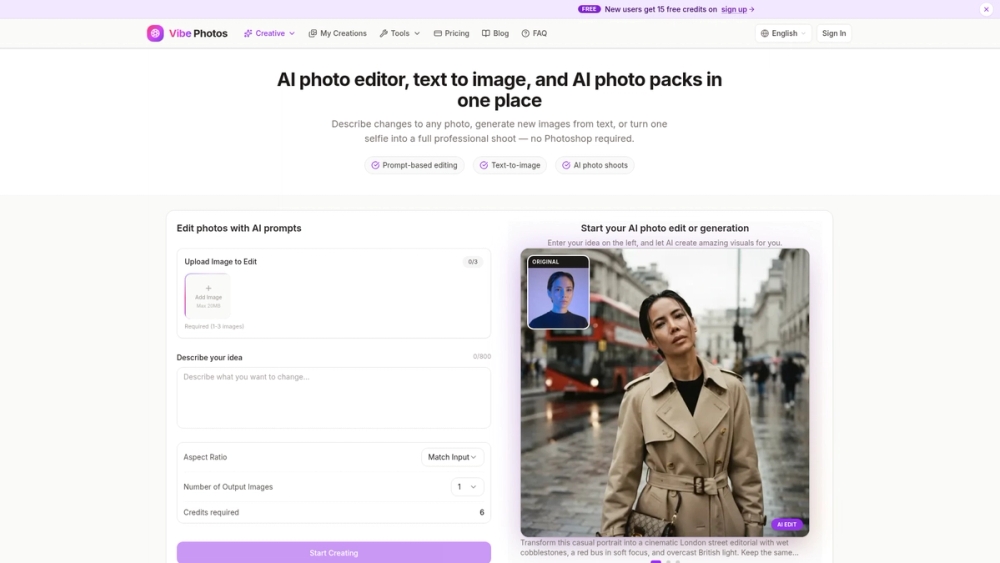
Introduction to Vibe Photos
Vibe Photos is an AI creative platform for photo editing, image generation, photo shoots, and short video. It combines prompt-based photo editing, text-to-image generation, curated photo packs, image-to-video, and free browser tools in one workspace. Editing, generation, photo packs, and video require an account, an active subscription, and credits. The browser tools are free for one-off tasks.
Key features include:
- AI Photo Editing: Upload one to three images and describe the change in plain language — backgrounds, lighting, retouching, style, or scene. No layers, masks, or Photoshop. Up to four variations per request.
- Text-to-Image Generation: Turn a written prompt into images for portraits, products, landscapes, and concept art. Choose an aspect ratio and generate up to four outputs to iterate quickly.
- Curated Photo Packs: Upload one selfie, pick a curated pack, and get a full AI photo shoot without writing a prompt. Each run produces a set of on-brand portraits with a consistent face. Packs cover corporate and LinkedIn headshots, dating profiles, wedding and couple shoots, actor and modeling headshots, and lifestyle sets such as travel, pets, and creative portraits.
- Image to Video: Upload a still photo, describe the motion, and generate a short cinematic clip. Choose duration, resolution, and aspect ratio, with optional audio and multiple video models.
- Free Browser Tools: One-off utilities that run in the browser with no account required, including background removal, object and watermark removal, AI upscaling, old-photo restoration, black-and-white colorization, a single AI headshot, image combining, collage, crop, resize, compress, and format conversion (PNG, JPG, WEBP, AVIF, HEIC).
Target Users: Content creators, marketers, and social media managers, plus professionals who need headshots, dating or acting photos, and anyone who wants accessible image editing and generation without a design background.
Use Cases: Prompt-based edits for social posts and campaigns; text-to-image mockups and concept art; a full headshot or lifestyle shoot from one selfie for LinkedIn, dating apps, or a portfolio; short clips from a still photo; and quick free fixes such as removing a background, restoring an old photo, or converting a file format.
Differentiators: Edits are described in plain language instead of layers and masks. Image Edit accepts up to three reference photos in one generation, so a subject, a style, and a scene can be combined while keeping identity stable. Photo Packs skip a photographer: one upload returns a full set of shots in the same face and quality. Free browser tools cover one-off tasks without a subscription, while the main create workflows stay in the same workspace.


