

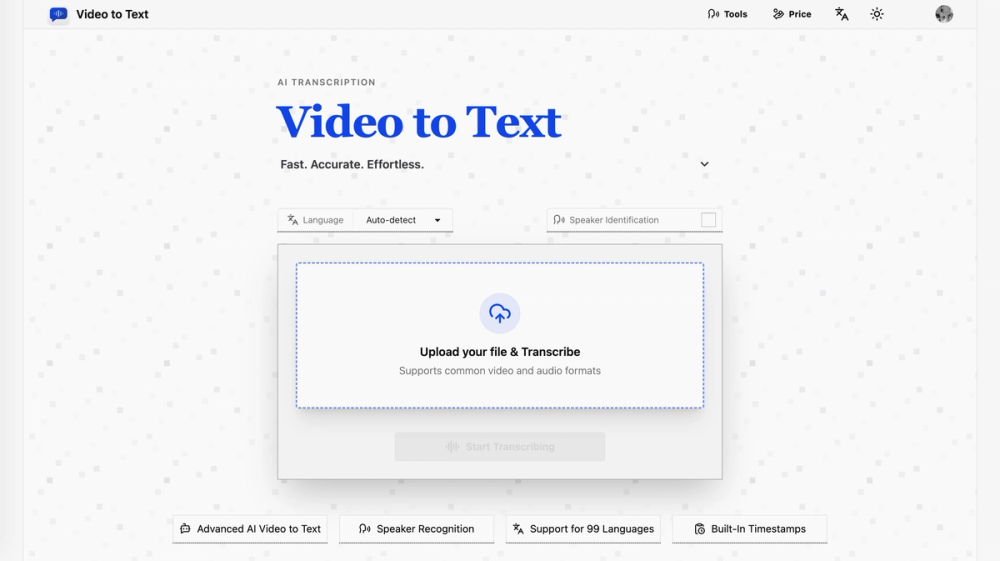
What the product does
The core job of Video to Text is to turn uploaded media into structured transcript output. After a file is uploaded, the system sends it through an AI transcription pipeline powered by AssemblyAI and returns the result in readable, reusable formats.
Users can:
- Upload supported video or audio files
- Let the system transcribe the content automatically
- Export the transcript as
srt,vtt,txt, orcsv
This makes the product useful both for direct content consumption and for downstream workflows such as captioning, editing, archival, translation, and note-taking.
Key features
High-quality transcription
Video to Text uses AssemblyAI’s transcription API to provide high-accuracy speech recognition. The service is suitable for long-form content and practical transcription use cases such as interviews, meetings, lectures, webinars, and recorded videos.
Multi-language support
The product supports 99 languages, including English, Spanish, Portuguese, French, German, Italian, Chinese, and Japanese. It also supports automatic language detection, which reduces setup friction for users who work with mixed or unknown-language media.
Multi-language content handling
If a single media file contains multiple languages, the transcription pipeline is designed to recognize them more effectively than a single-language workflow. This is useful for international interviews, multilingual conferences, and creator content with code-switching.
Speaker diarization
Speaker diarization is supported, allowing the transcript to distinguish between different speakers and label them accordingly. This is especially valuable for meetings, panel discussions, podcasts, and interviews where speaker attribution matters.
Timestamped output
The transcript can include timestamps, which is important for subtitle generation, editing, and search-driven workflows. Timestamped exports make it easier to align text with the original audio or video.
Flexible import and export
The product supports multiple media formats on input and multiple text-based formats on output. This gives users a simple path from raw media to caption files, plain text, or spreadsheet-friendly records.


